
External users can fill a sample order during the Pre-Production and Post-Production stages. Sample Orders and SKU codes are mandatory fields to complete in the Post-Production stage.
Filling a sample order
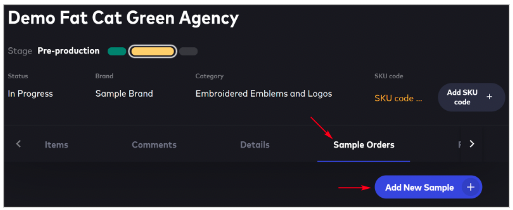
Open a submission, click the Sample Orders menu tab, and then click Add New Sample.
Scroll through the Add New Sample workflow. Fill in all required fields. Make sure you add shipping information. Paste a URL for the tracking number in the Description.
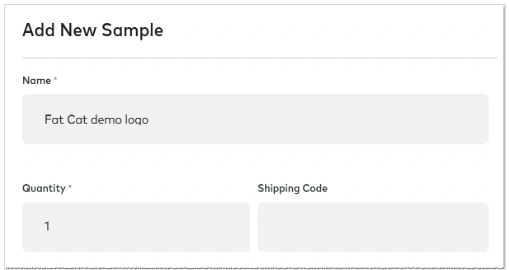

Click Create to save.
Editing a sample order
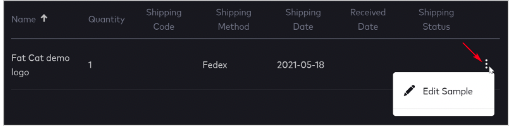
After you click Create, the order displays on the page. Click the three-dot button to edit the order.
Comments
0 comments
Article is closed for comments.